Troubleshooting
This page helps you diagnose issues quickly by symptom.
I Cannot Access a Dashboard
Check:
- You are logged in.
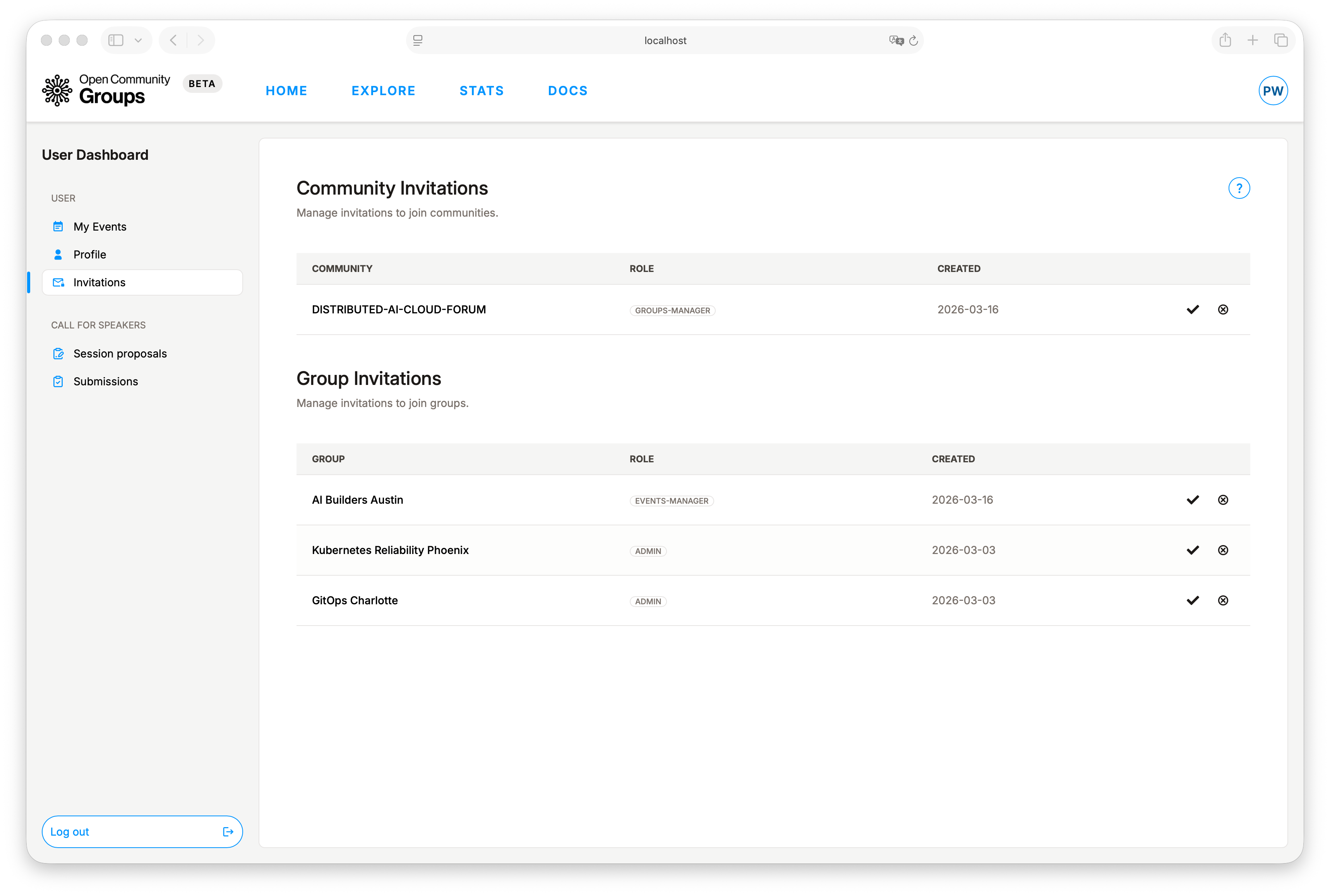
- You accepted the related invitation in User Dashboard -> Invitations.
- You selected the required context:
- Alliance dashboard: selected alliance.
- Group dashboard: selected alliance and group.
If actions still fail, re-select the alliance/group from dashboard selectors and refresh.
Controls Are Disabled in Dashboard Tabs
Disabled controls usually indicate role-based authorization, not a UI bug.
Examples:
- Alliance
viewercannot modify settings/taxonomy/team/groups. - Alliance
groups-managercannot modify alliance settings/taxonomy/team. - Group
events-managercan manage events but cannot manage members/settings/sponsors/team. - Group
vieweris read-only.
If you need broader access, request a higher role from a team admin.
Join Group or Attend Event Buttons Do Not Work
Check:
- You are logged in.
- The group/event is active and available.
- Your session is up to date (refresh page).
For events:
- Capacity limits can block new attendance.
- Canceled events disable normal participation.
CFS Submit Button Is Disabled
Check:
- CFS is enabled for the event.
- CFS time window is currently open.
- You are logged in.
- You have at least one eligible session proposal.
In modal:
- Proposal options already submitted to the same event are disabled.
I Cannot Resubmit or Withdraw a Submission
Submission actions depend on status:
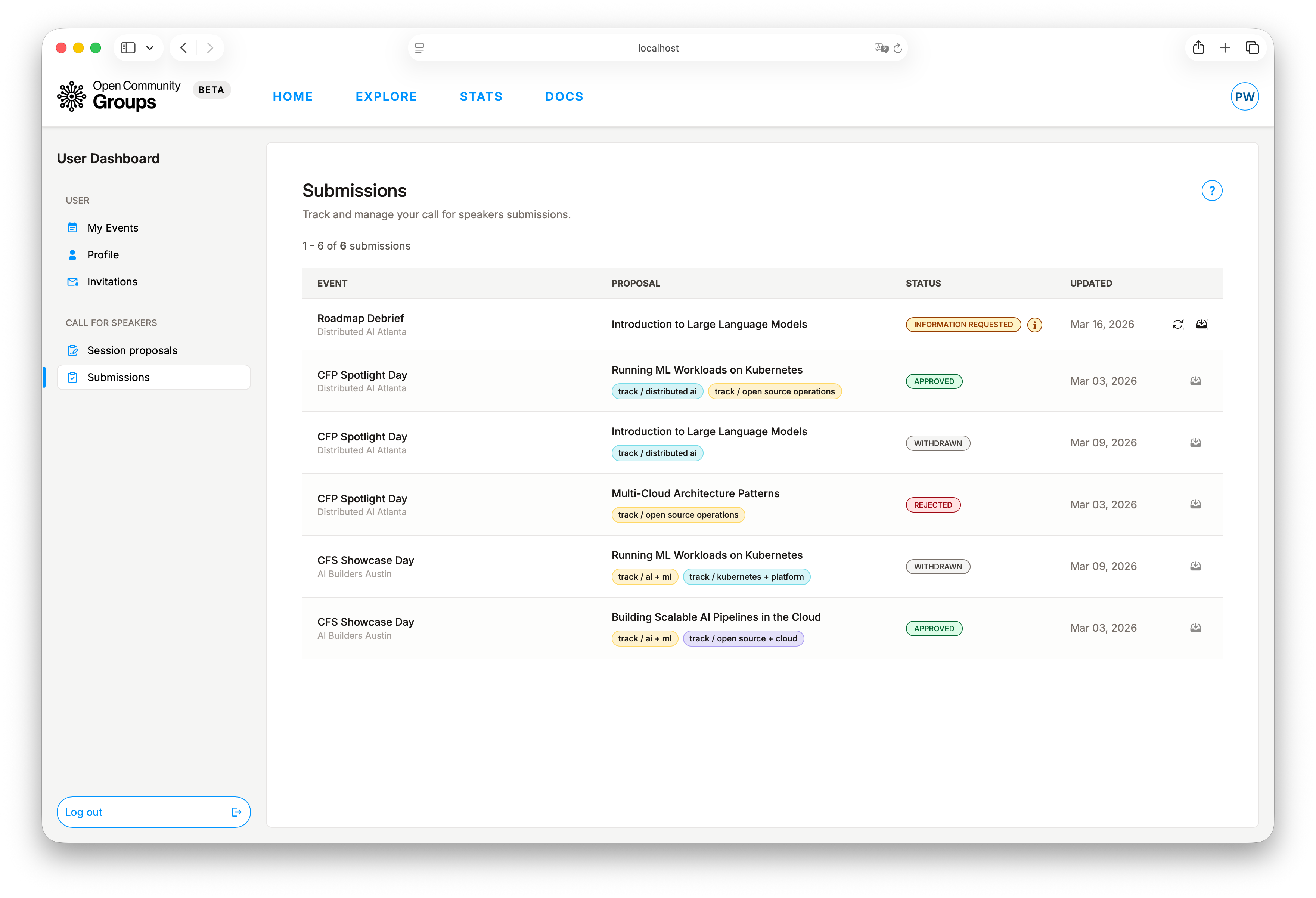
Resubmitis available forInformation requested.Withdrawis available only while the submission is still active in review.- After a final outcome (such as approved/linked), withdraw is no longer available.
Confirm current status in User Dashboard -> Submissions.
Event Cannot Be Published
Check event editor completeness:
- Required details are filled (name, type, category, description).
- Date/time is valid (end on/after start).
- Registration open and close dates are not after the event start date, and close is after open if a registration window is set.
- Meeting constraints are satisfied when automatic meeting is requested.
- CFS rules are valid if CFS is enabled.
For ticketed events also verify:
- The event has at least one ticket type configured.
- The event currency is filled in when ticketing is enabled.
- Each ticket type has at least one complete price window.
- Any configured discount codes are complete. Discount codes are optional.
Paid Ticket Purchase Is Unavailable or Fails
If the public event page shows ticket purchase controls but buying a ticket is unavailable or does not complete, check:
- The selected ticket type is active and not sold out.
- The ticket type has a price window that is currently in effect.
- The event registration window is currently open for starting checkout, if one is configured. Existing active ticket holds can still complete until the hold expires.
- The discount code is active, still has remaining uses, and has not reached any total-use limit. Remaining uses are reserved by active holds and active purchases, then released again if the hold expires or the ticket is refunded.
- The event has not been canceled.
Check-In Is Unavailable
Check:
- You RSVP'd with this account.
- Event is published and not canceled.
- Check-in window is open:
- Opens 2 hours before start.
- Closes end of event day (or final day for multi-day events).
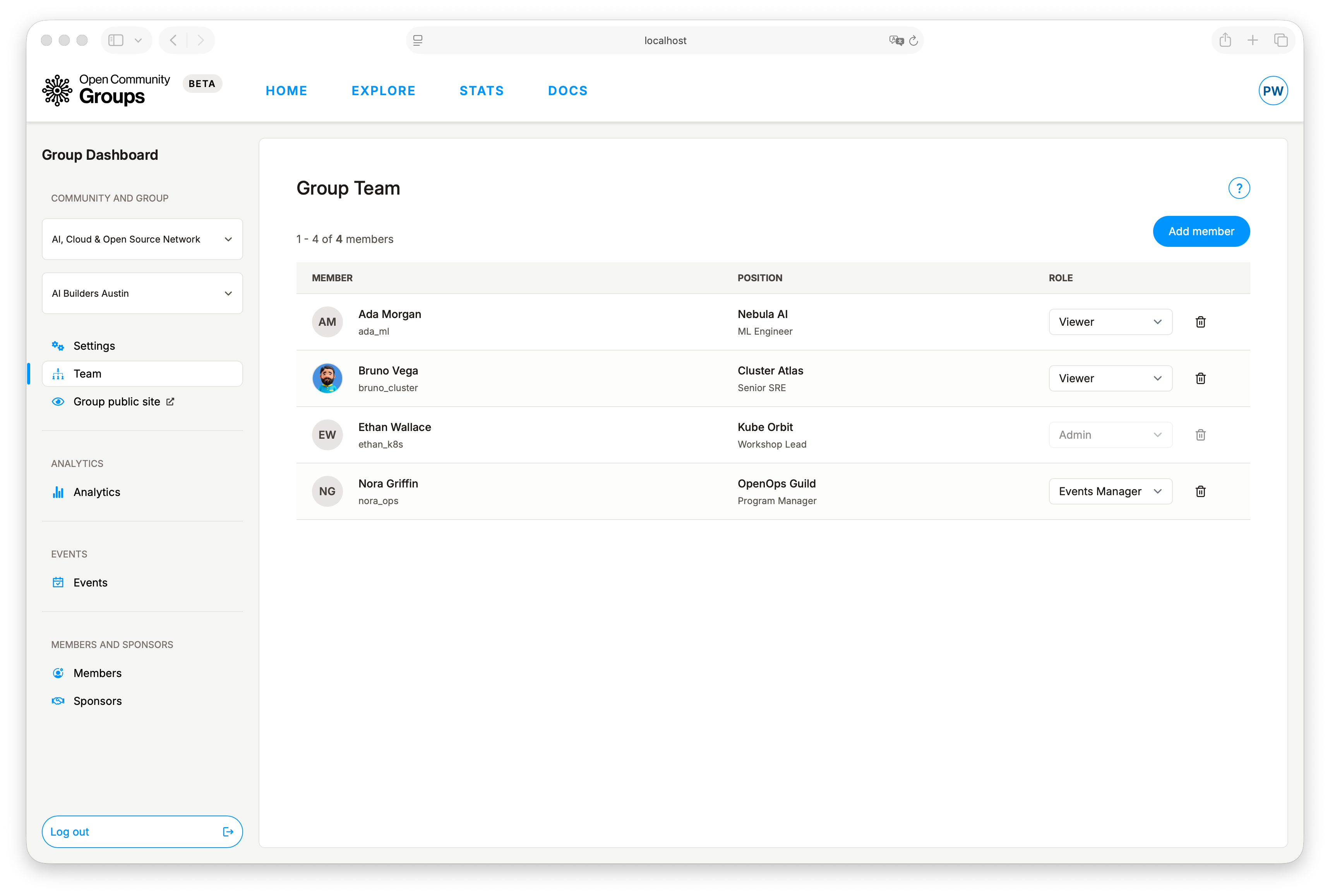
Team Member Remove Action Is Disabled
For alliance/group team tables:
- You cannot remove or demote the final accepted
admin.
Add another accepted team member first, then retry.
Analytics Looks Outdated
Analytics is cached and can lag by a few minutes.
Retry:
- Refresh the page.
- Wait briefly and refresh again.
Email Send Is Disabled
For group members or event attendees:
- Send actions are disabled when recipient count is zero.
Also verify required fields:
- Subject
- Body (plain text)
More Help
If you do not see your issue here, check the Frequently Asked Questions.